August 13, 2026 • Roxanne Flair • 10 min reading time • Prices verified June 4, 2026
Audio Mixers for Non-DJs: Podcasters, Streamers, and Home Entertainers Compared
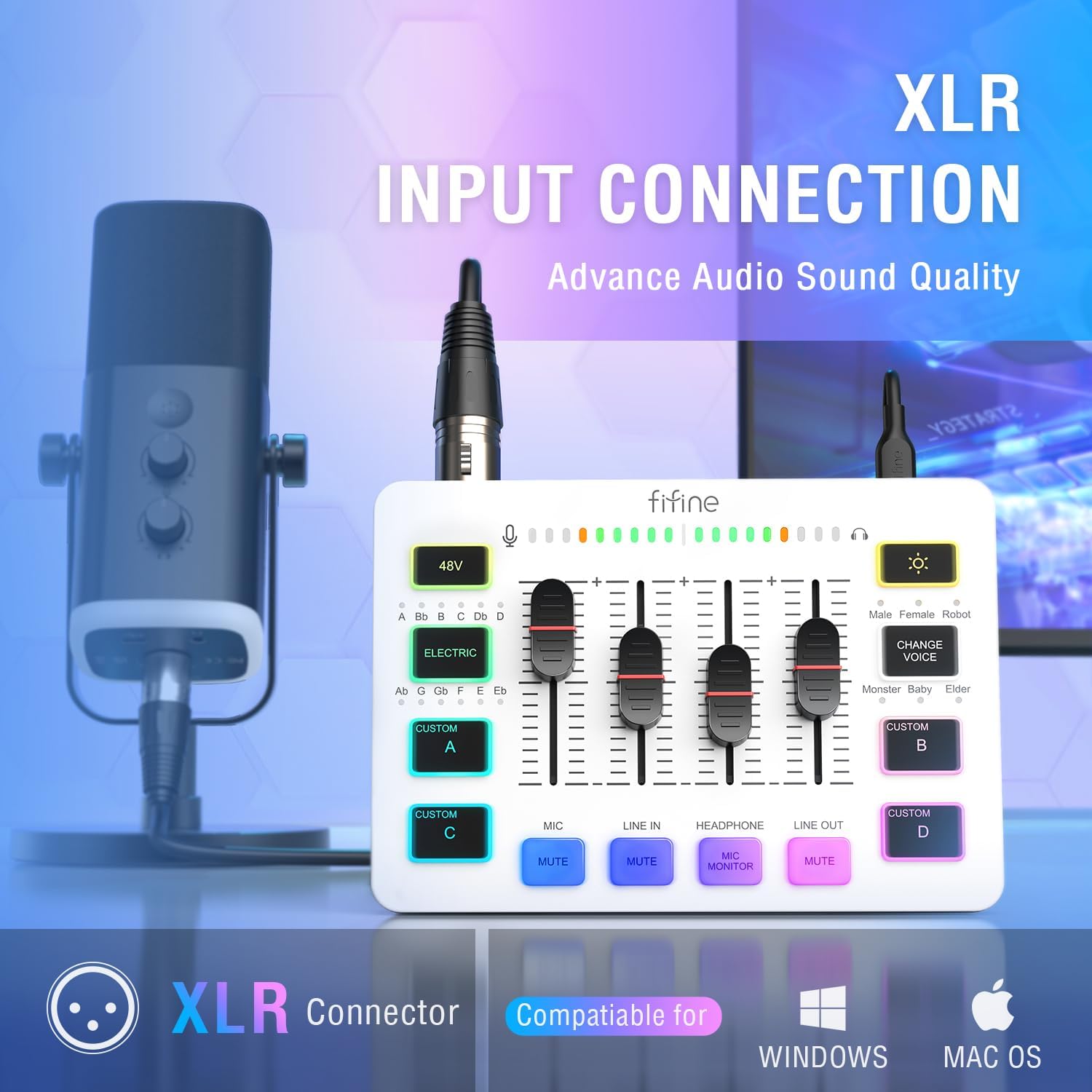
An audio mixer is basically a traffic controller for sound. Multiple microphones, music sources, or audio feeds come in; the mixer lets you adjust each one’s volume and quality independently before sending a clean, blended signal out to your recording software, your livestream, or your speakers. You don’t need to be a DJ or a recording engineer to use one — and as podcasting, home streaming setups, and backyard entertaining have all grown up as hobbies and small businesses over the last few years, a whole category of mixers has emerged that’s designed specifically for people who want clean audio without a steep learning curve. This guide cuts through the options at four price tiers, names the real trade-offs, and ends with a direct answer to the question every buyer is actually asking: which one should I get?
If you’re already past the “what is a mixer” stage and you have a specific use case in mind — podcast recording with two hosts, streaming gameplay with mic commentary, or wiring up a Bluetooth speaker for a house party — you’re exactly who this article is written for. Let’s get specific.
| EDITOR'S PICKYAMAHA MG10XU 10-Input Stereo M… | Mid-tierNumark M6 USB - 4-Channel DJ Mi… | Budget pickPyle 5-Channel Rechargeable Min… | |
|---|---|---|---|
| Channels | 10 | 4 | 5 |
| Mic input | — | ✓ | ✓ XLR combo |
| EQ | — | 3-band | Slider EQ |
| Crossfader | — | Replaceable | — |
| Battery | — | — | Rechargeable |
| Price | $294.99 | $219.00 | $46.75 |
| See on Amazon → | See on Amazon → | See on Amazon → |
Why the Use Case Drives the Decision (Not the Spec Sheet)
Before you compare channel counts or USB modes, it’s worth being honest about what you’re actually building. These three use cases look similar on the surface but pull in different directions at decision time.
Podcasters need clean mic preamps — the circuitry that amplifies a microphone’s weak signal to a usable level — easy USB recording to a laptop, and ideally phantom power: a 48-volt charge the mixer sends through the cable to power condenser microphones, which are the large-diaphragm studio-style mics you see on most podcast setups. Monitoring, meaning the ability to hear yourself in headphones while you record, matters a great deal here.
Streamers want low-latency monitoring (hearing your mic in real time with no delay), flexible routing so game audio and mic audio can be controlled separately, and a USB connection that plays well with streaming software like OBS or Streamlabs. Some streamers also want sound effects or music beds triggered on the fly, which pushes toward more channels.
Home entertainers — the party host running music from a phone, maybe wiring in a microphone for toasts or announcements — care most about ease of use, enough inputs for their sources, and either battery power or a long cable reach to the nearest outlet. This buyer often has the least patience for menus and the most need for something that just works.
According to Wirecutter’s guide to podcast equipment (The New York Times Company), for most home and semi-pro recording use cases a four-to-eight channel analog mixer with USB output covers the vast majority of real-world needs — and the channel-count anxiety many first-time buyers feel rarely reflects how they actually end up using the gear.
The Four Tiers: What You Get and What You Give Up
Tier 1: Under $80 — The “I Just Need It to Work” Shelf
Pyle
$46.75
In stock on Amazon
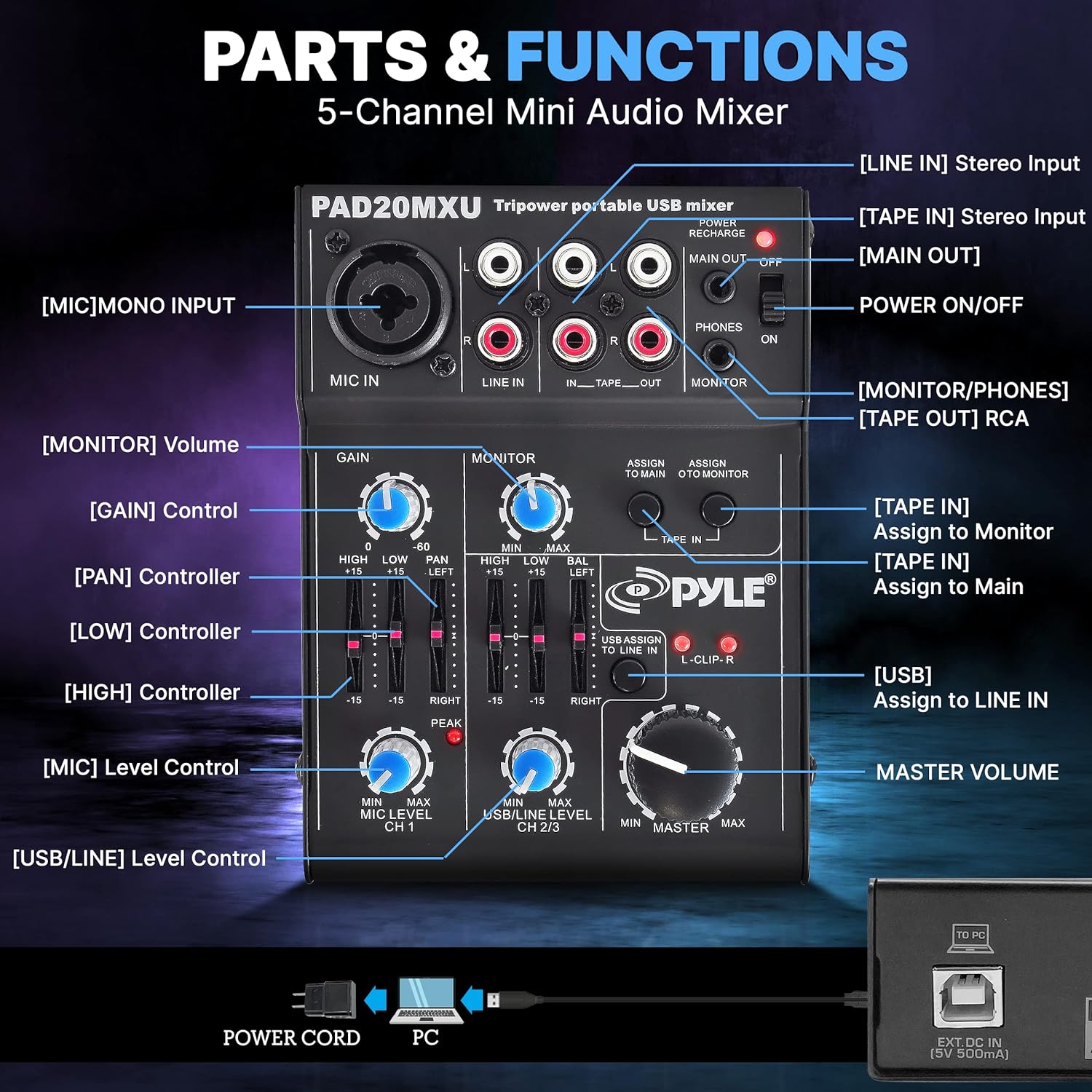
Check price on AmazonThe Pyle portable mixer occupies a specific and honest niche: battery operation. That’s its entire value proposition. You’re getting basic level controls, a handful of inputs, and the ability to run a microphone through a speaker in a park or a tent without hunting for an outlet. Don’t expect studio-quality preamps. Don’t expect USB recording. Do expect it to work for what it’s designed for — portable, unpowered-venue audio at an entry price.
FIFINE’s compact USB mixer lineup serves a slightly different buyer at under $80: the solo streamer or bedroom podcaster who wants USB plug-and-play simplicity and mic monitoring — hearing your own voice in headphones while you talk — without paying for channels they’ll never use. Per FIFINE product documentation, their compact USB models include direct monitoring functionality specifically to eliminate the software-roundtrip delay that makes recording feel unnatural. The narrow control set is a real limitation if you want to blend multiple sources or apply effects — but for a single-mic podcast or a gaming stream, it’s honest value.
Tier 1 at a glance:
| Feature | Pyle portable | FIFINE compact USB |
|---|---|---|
| USB Recording | No | Yes |
| Phantom Power | No | No |
| Battery Option | Yes | No |
| Mic Monitoring | No | Yes |
Pyle
$46.75
In stock on Amazon
Check price on AmazonTier 2: $100–$200 — The Working Setup
Numark
$219.00
In stock on Amazon
Check price on AmazonThis is where the market gets interesting and where most people reading this guide should focus serious attention.
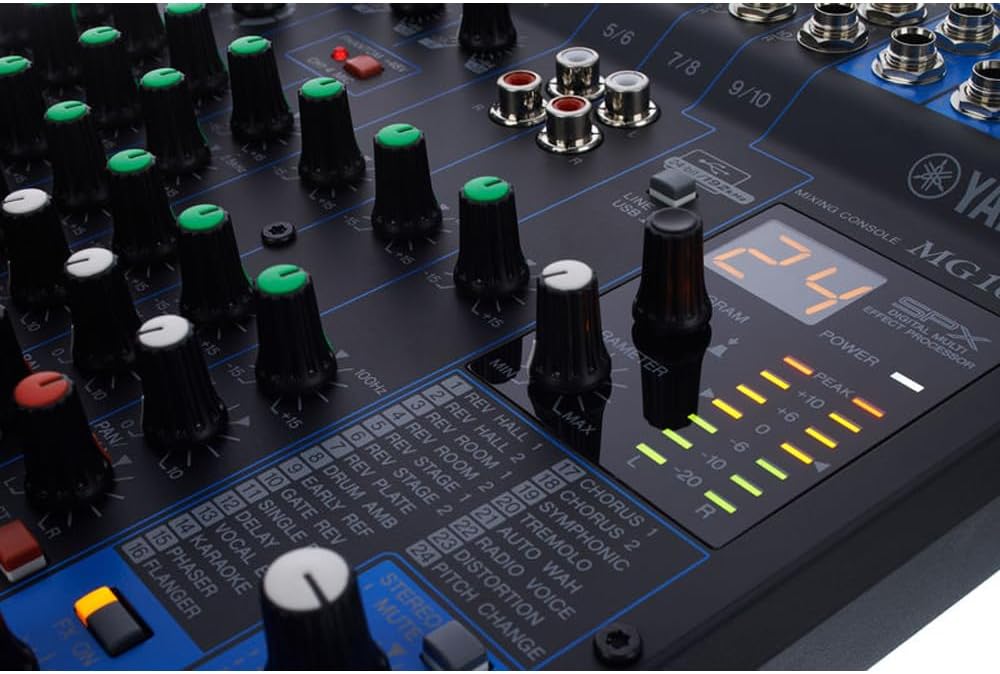
The Yamaha MG10XU (street price around $180–$200) is the consensus recommendation in its class. Sound On Sound’s coverage of the Yamaha MG Series (Sound On Sound Publications) highlights the build quality and preamp performance as genuinely above the price point — the unit holds up over time, and the preamps don’t add the hiss or harshness that cheaper mixers introduce. You get ten channels, two of which accept XLR microphone inputs with phantom power, a two-in/two-out USB interface for computer recording, and a three-band EQ per channel. Onboard compression and effects are basic but functional.
Per Yamaha’s MG10XU product specification sheet (Yamaha Corporation), the phantom power operates at 48V — the standard that condenser microphones require. That matters because condenser mics, which produce the warmest and most detailed recordings, won’t function at all without a 48V source. The MG10XU supplies it directly, so no external power supply is needed for your microphone.
For the podcaster with two hosts and a music bed source, or the streamer who wants a mic plus a secondary audio feed with real gain control, the MG10XU is the tier-two answer. It’s not flashy, but it does exactly what it says.
Numark
$219.00
In stock on Amazon
Check price on AmazonTier 3: $250–$400 — The Room Gets Serious
YAMAHA
$294.99
In stock on Amazon
Check price on AmazonAt this tier, buyers are usually committing to a semi-permanent setup: a dedicated streaming desk, a home studio corner, or a recurring event hosting role where the gear gets packed and unpacked regularly.
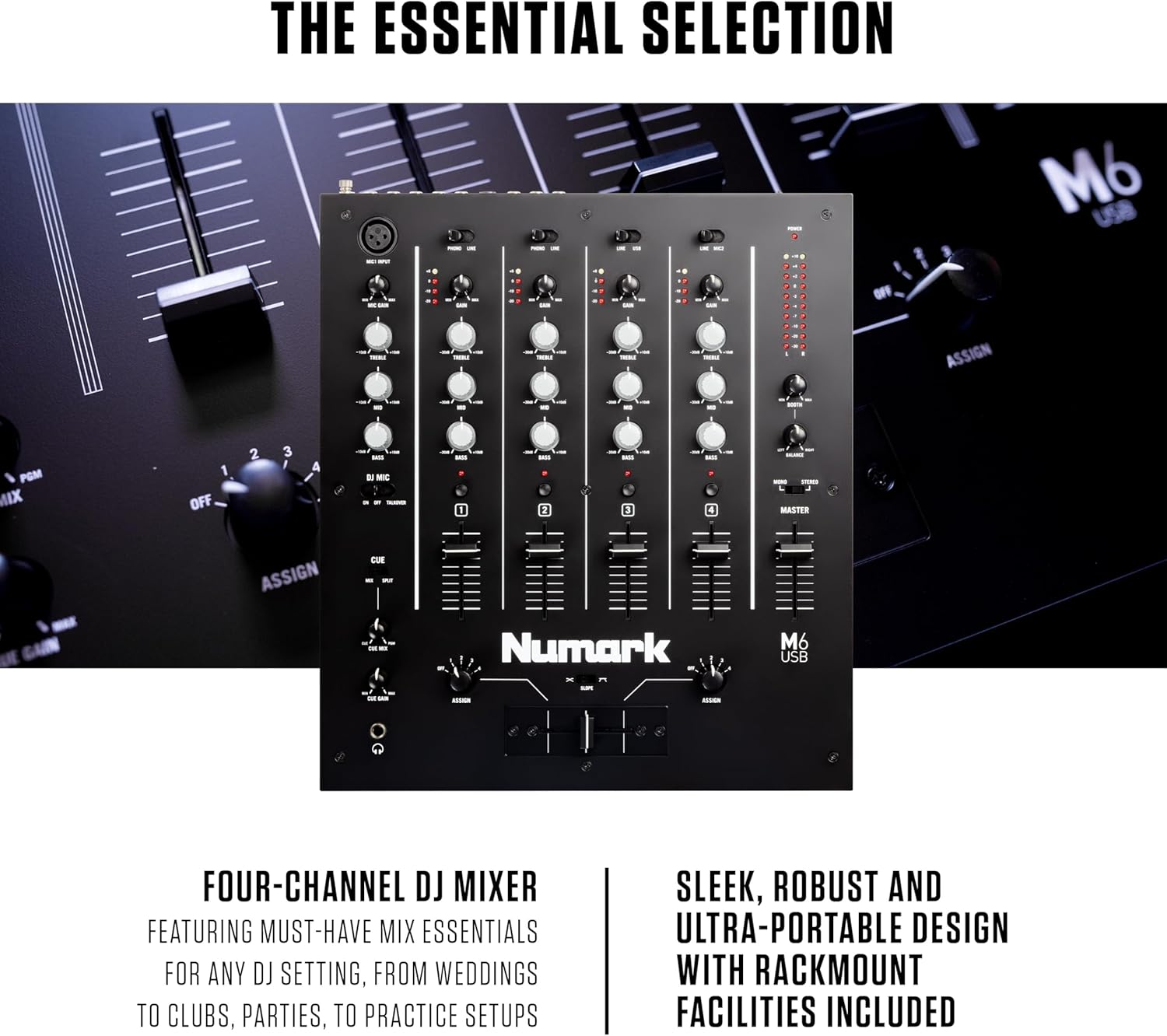
The Numark M6 USB occupies an honest and specific position here. Per Numark M6 USB product documentation (inMusic Brands), the unit provides four stereo channels with USB recording output — making it one of the few options in this price range that routes a phone, a laptop, a tablet, and a microphone or instrument source all simultaneously to a PA system while also capturing a USB mix to a computer. The fader quality is adequate rather than exceptional, which is a real limitation if you’re comparing against professional-grade routing hardware. But for the home entertainer or the recurring event host who needs four channels and USB at this price, the M6 USB is a reasonable and honest call.
The Yamaha MG series also scales into this tier: the MG12XU adds two additional channels and a larger physical footprint, giving a two-host podcast setup more room to grow with additional instrument inputs or a house music feed.
YAMAHA
$294.99
In stock on Amazon
Check price on AmazonTier 4: $500 and Up — Professional Routing Territory
At $500 and above, the product category shifts. You’re no longer shopping for a simple mixer — you’re building a signal chain. At this level, dedicated audio interfaces often outperform analog mixers for pure podcast and streaming use. Wirecutter’s podcast equipment coverage (The New York Times Company) reflects this: their top-tier recommendations at this price range lean toward dedicated interfaces with mixer-style control surfaces rather than traditional analog mixers.
That said, there are legitimate reasons to stay in the mixer form factor above $500: live event hosting with multiple simultaneous mic inputs, routing that requires more than two channels of USB output, or hybrid setups where you’re mixing live music sources alongside recorded content. At this level, the Yamaha MG series scales further (the MG16XU is a natural continuation), and Sound On Sound’s MG Series coverage specifically notes the step up in preamp headroom and routing flexibility at the larger channel counts.
Frequently Asked Questions
Do I need a mixer if I already have an audio interface?
Usually, no — if your interface already has the number of inputs you need. An audio interface connects microphones and instruments directly to your computer with high-quality conversion, and for solo podcasters or single-mic streamers, a two-input interface is sufficient. A mixer becomes worth adding when you need to blend more sources than your interface handles, or when you want physical fader control over levels in real time during a live stream or event.
Can I use a DJ mixer for podcasting or streaming?
Technically yes, but it’s not the right tool. DJ mixers are designed for crossfading between two stereo music sources with specific EQ curves and often no microphone phantom power. Their USB implementations, when present, are typically optimized for recording DJ sets — not for the channel routing flexibility podcasters or streamers want. The Numark M6 USB sits at the edge of this category. Per its product documentation (inMusic Brands), it’s positioned as a four-channel performance mixer with USB, which means it bridges both worlds — but buyers should understand that its design priorities lean toward live mixing rather than studio-style multitrack routing.
What is mic monitoring and why do streamers care about it?
Mic monitoring means you can hear your own voice in headphones while you speak into the microphone, in real time. Without it, there’s a delay — your voice hits the mic, travels through software, and comes back to your headphones a fraction of a second later, which is disorienting enough that most people can’t speak naturally. Hardware monitoring routes your voice directly to headphones with near-zero delay, bypassing the computer entirely. FIFINE’s product documentation specifically lists direct monitoring as a key feature of their compact USB line, which is why it appears as a deciding factor for buyers at that price point — finding hardware monitoring below $80 narrows the field considerably.
Does the Yamaha MG10XU require an external phantom power supply for condenser microphones?
No. Per Yamaha’s MG10XU product specification sheet (Yamaha Corporation), the unit provides switchable 48V phantom power directly — you enable it on the mixer itself, and it travels through the XLR cable to your condenser microphone. No external power supply is needed. Dynamic microphones such as the Shure SM58 or SM7B don’t need phantom power and are not harmed when phantom power is switched on, so you can run mixed microphone types without worrying about channel-by-channel switching.
Can a battery-powered mixer handle live event hosting without access to wall power?
Yes — with expectations calibrated appropriately. The Pyle portable mixer’s battery operation is genuinely useful for outdoor events, pop-up venues, or any situation where power access is uncertain. The trade-offs are fewer channels, no USB recording, and basic preamp quality. For a one-time toast setup or a small outdoor gathering running music from a phone with a single mic input, it covers the use case. For multi-source event hosting with recording needs, you’ll want a power source and a move up the tier stack.
The Decision Frame: If X, Then Y
Here’s the honest verdict based on product documentation, manufacturer specifications, and editorial coverage from Sound On Sound and Wirecutter:
- If you’re a solo streamer or bedroom podcaster on a tight budget and mic monitoring is your priority: the FIFINE compact USB is the honest entry point.
- If you’re a home party host with no outlet access: the Pyle portable remains the only sub-$60 battery option in the category.
- If you’re a two-host podcaster, a streamer who wants real gain control, or anyone who needs condenser mic support: the Yamaha MG10XU is the category recommendation. The preamp quality and phantom power implementation at this price point are validated by both Yamaha’s own specification sheet and Sound On Sound’s MG Series coverage.
- If you need four channels for a recurring hosting role and USB recording at a budget-conscious price: the Numark M6 USB earns its position as the most accessible four-channel USB option in the tier — go in knowing the fader quality reflects the price.
- If you’re building a permanent semi-pro setup above $500: consider whether a dedicated audio interface serves you better than a traditional mixer before committing, as Wirecutter’s podcast equipment guidance suggests the interface form factor often wins at this price for recording-focused buyers.
The mixer category rewards honest use-case thinking more than spec comparison. Figure out how many inputs you actually need, whether you’ll ever need phantom power, and whether battery operation matters — and the right tier answers itself.